
A freelancer can wear five hats before lunch. One minute, you are writing for a client. The next, you are answering emails, checking a project deadline, fixing a website issue, sending a proposal, and wondering whether that invoice from three weeks ago has been paid yet.
Small business owners know the feeling too. Running a lean operation means there is rarely a spare person for every job.
That is why the right digital tools for freelancers and small business owners matter. They can reduce repetitive work, keep client information organized, speed up content creation, simplify invoicing, and give you a clearer view of the business.
The trick is not collecting dozens of apps. A crowded dashboard can become another problem.
A better approach is to build a practical digital toolkit around the way work actually happens:
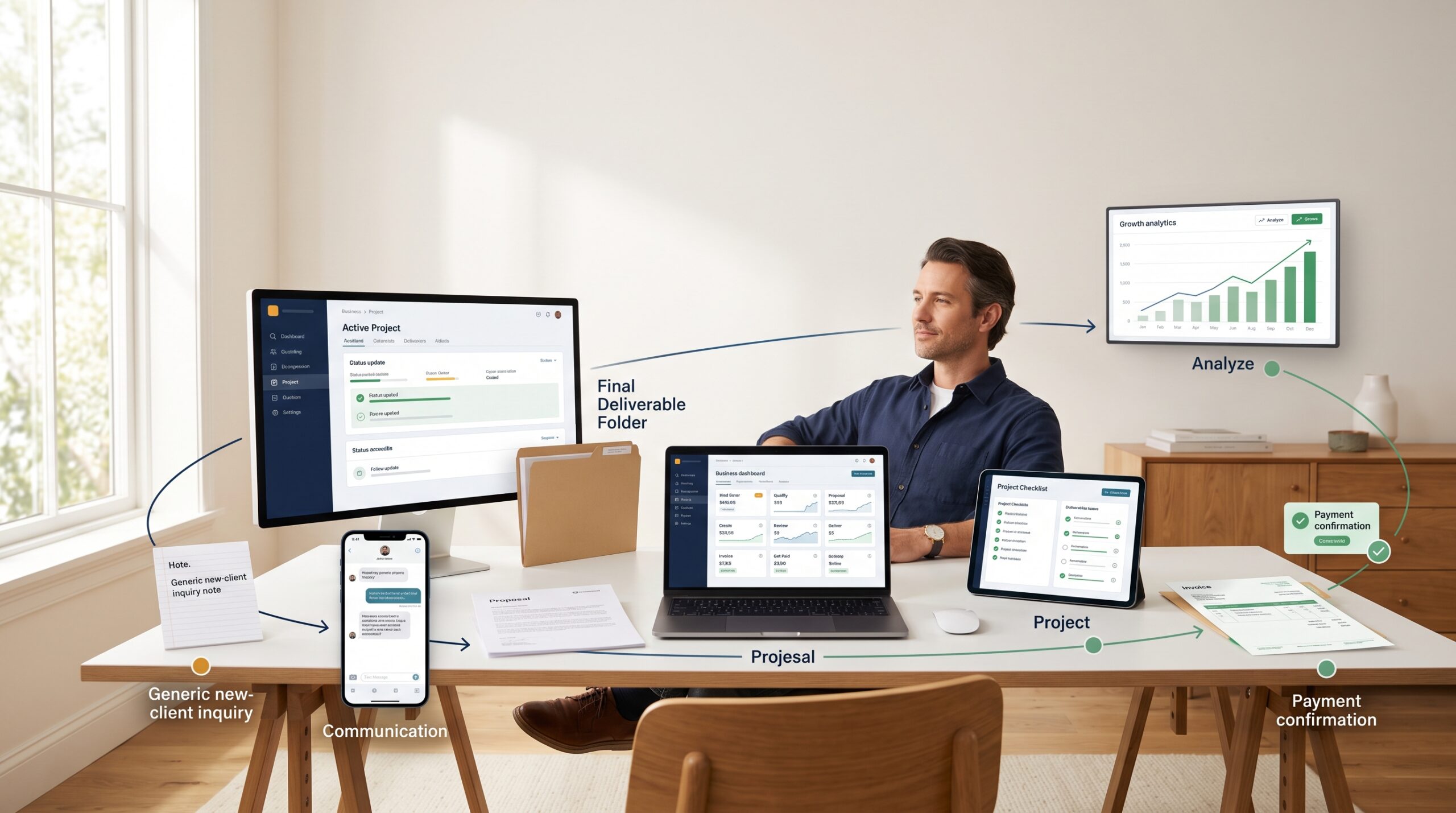
Create → Verify → Organize → Communicate → Deliver → Invoice → Get Paid → Grow
This guide breaks down the essential tool categories, explains what each one should do, and shows how freelancers and small businesses can build a technology stack without turning their workflow into a digital junk drawer.
AI and Content Tools for Creating Better Work
AI tools have moved from curiosity to everyday business software.
For freelancers, they can support research, brainstorming, drafting, editing, summarization, content repurposing, image creation, and administrative work.
But there is an important distinction:
AI should accelerate professional judgment, not replace it.
That distinction becomes especially important for writers, marketers, publishers, agencies, and businesses producing large amounts of content.
Useful AI and content-tool categories
- AI writing tools
- AI content generators
- AI editing and proofreading tools
- Paraphrasing tools
- Plagiarism checkers
- AI content detectors
- AI image detection tools
- Content optimization software
- Research and summarization tools
- Document and PDF tools
AI and Video Creation Tools:
For freelancers and small business owners who need video content for marketing, product promotion, or client projects, CutBay offers a conversational approach to AI video creation. CutBay is an AI Video Agent that helps turn ideas and existing materials—including text, images, videos, presentations, and web content—into complete videos. Instead of assembling every scene manually from a traditional editing timeline, users can describe their goals, work with AI to develop the video, and refine the result through conversation.
This can be particularly useful for solo marketers, consultants, educators, and small teams that need product explainers, promotional videos, social media content, or business presentations without a dedicated video production team.
As with other AI-generated content, the final video should be reviewed for accuracy, visual consistency, and brand fit before publication.
A practical workflow might look like this:
Research → Draft → Review → Verify → Edit → Publish
AI can assist with several steps, but the human review remains important.
For example, an AI writing tool may produce a perfectly grammatical paragraph containing an incorrect statistic. A paraphrasing tool may change the meaning of a technical sentence. An AI-generated image may look convincing while showing details that make no sense.
The tool is fast.
That does not make it automatically right.
Where ZeroGPT can fit
For content-heavy freelancers and small businesses, ZeroGPT can be considered as part of the AI content verification and writing workflow. Its toolset is aimed at areas such as AI detector free, AI-assisted writing, paraphrasing, plagiarism checking, and content analysis.
That can be useful when a business needs an additional review step before publishing client content, submitting academic-style material, or delivering written work.
AI detection should still be treated as an indicator rather than an absolute verdict. No automated detector should be the sole basis for accusing someone of using AI. Context, authorship history, editing records, and human review matter.
This balanced approach is especially important for professional content teams.
AI adoption is already significant
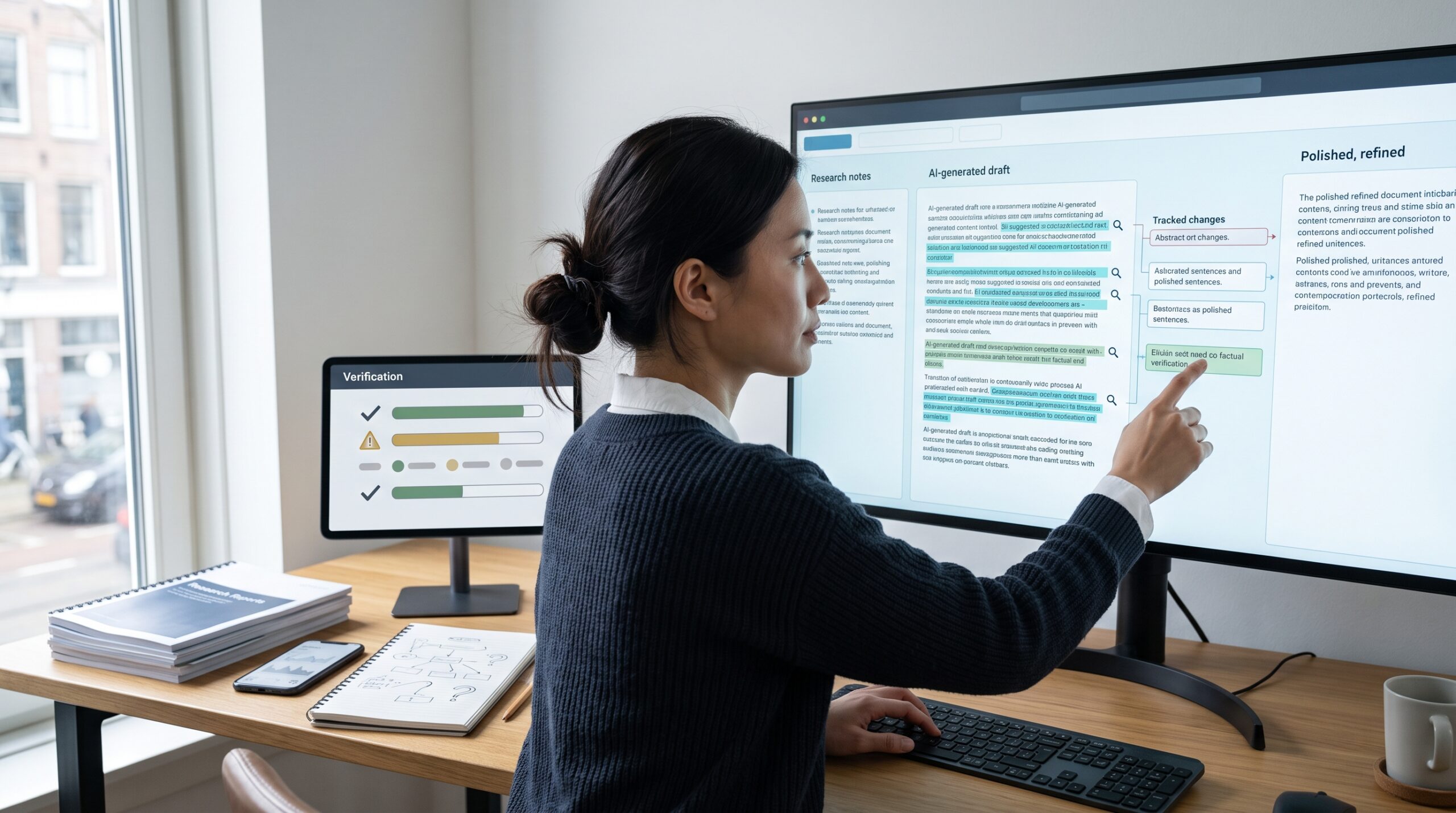
The Federal Reserve’s 2026 Report on Employer Firms found that 46% of firms reported that their business or employees currently use AI, while another 15% planned to begin within the following 12 months. Among businesses using AI, 83% reported using it for writing or marketing, 61% for individual productivity, and 51% for planning or analysis.
The same research found that 71% of AI-using firms reported increased productivity, while 39% reported improved quality of goods or services and 31% reported higher sales. Accuracy remained a major concern, cited by 46% of AI users.
That last figure deserves attention.
AI can make work faster. It can also make mistakes faster.
So the strongest AI workflow is rarely “generate and publish.” It is closer to:
“Generate, inspect, improve, verify, then publish.”
That extra human layer is where professional judgment earns its keep.
Invoicing and Payment Tools
For freelancers and small business owners, invoicing should be a simple part of the workflow rather than a task that gets pushed to the end of the week. The right invoicing software can help you generate invoice documents quickly, keep billing details organized, and stay on top of outstanding payments without digging through spreadsheets.
A useful invoice tool should make it easy to:
- Create professional invoices
- Add products or services
- Apply taxes and discounts
- Set payment terms
- Generate estimates
- Create quotations
- Issue receipts
- Track paid and unpaid invoices
- Record partial payments
- Monitor overdue balances
- Send payment reminders
- Export records
- Review revenue
The problem is bigger than convenience.
The Federal Reserve’s 2024 Report on Payments found that roughly four in five small firms face payment-related challenges. The research highlighted issues including payment-processing fees, slow-paying customers, and time-consuming payment processes.
Digital payment activity is also enormous. The Federal Reserve reported 236.6 billion noncash payments in the U.S. during 2024, with cards accounting for 79% of transactions by number.
For freelancers, the takeaway is straightforward: billing should be part of the workflow, not an afterthought.
InvoicePro as an example
InvoicePro is designed with freelancers, contractors, consultants, service providers, and small business owners in mind. It provides the tools needed to generate invoice documents, estimates, quotations, and receipts, while also supporting recurring billing, PDF exports, payment tracking, overdue payment statuses, and reminders.
Users can keep client details and business records organized in one place, create invoices even without an internet connection, and work with multiple currencies. For professionals who want a straightforward way to manage billing from one app, these features can help simplify the invoicing process from creation to payment tracking.
A practical billing workflow looks like this:
Complete work → Send invoice → Record status → Follow up → Mark payment → Review outstanding balance
Do it consistently.
Do not wait until Friday afternoon to remember which clients still owe you money.

Project Management, Productivity and Time Tracking
Once you have work, the next challenge is remembering what needs to happen.
A surprising amount of freelance stress comes from open loops:
- “Did I send that file?”
- “When is the next revision due?”
- “Has the client approved the design?”
- “How many hours have I spent on this project?”
- “Which task should I work on first?”
Project management software turns those questions into visible information.
Essential productivity tools include
Task management: Track individual tasks, deadlines, priorities, and recurring work.
Project management: Keep larger client projects together with milestones, files, discussions, and deliverables.
Time tracking: Useful for hourly billing, estimating project profitability, and understanding where working hours actually go.
Calendar tools: Protect deadlines and prevent meetings from consuming the entire week.
Automation tools: Move information between applications or trigger routine actions.
The goal is not to build an elaborate productivity machine.
It is to create a system you will actually use.
Imagine a freelance designer handling three clients.
Without a project system, the workflow may look like this:
Email → WhatsApp → Notes app → Spreadsheet → Calendar → Email again.
That is a recipe for forgotten details.
A better system might keep each client’s tasks, deadlines, files, and status in one place.
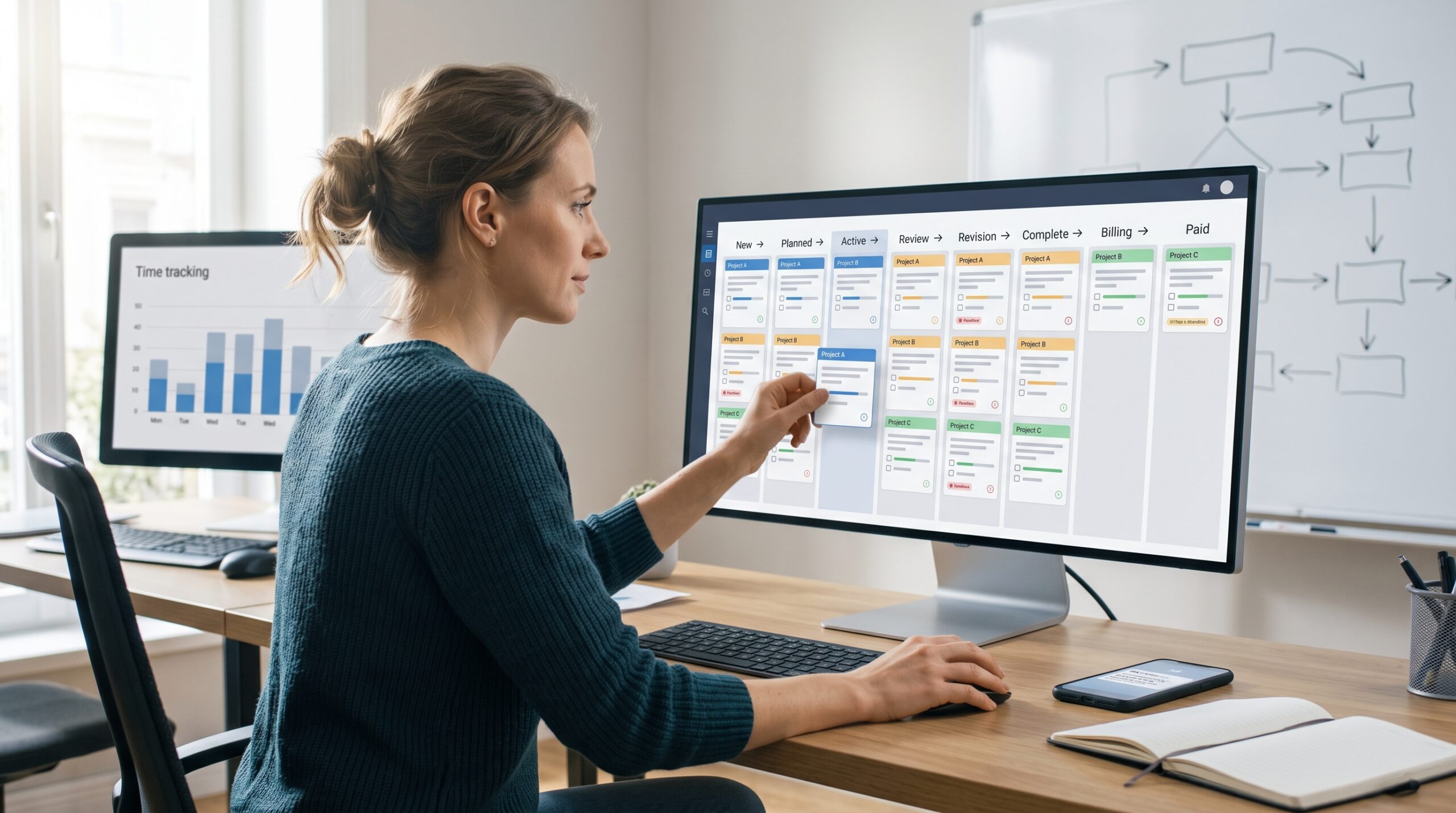
A simple project structure
| Stage | Example |
|---|---|
| New | Client inquiry received |
| Planned | Scope and deadline agreed |
| Active | Work in progress |
| Review | Client reviewing deliverable |
| Revision | Changes requested |
| Complete | Final files delivered |
| Billing | Invoice sent |
| Paid | Payment received |
This also helps with time management.
If a project repeatedly takes 14 hours but you quote it as a 10-hour job, your problem is not productivity. Your pricing or scope needs attention.
That is one reason time tracking software can be more than a billing tool. It can become a business intelligence source.
Client Management, Communication and Cloud Documents
A freelance business can survive without a complicated CRM.
It cannot survive for long with poor client communication.
Client management tools help keep names, contact information, project details, proposals, conversations, contracts, and follow-ups organized.
For a small operation, the system can be simple.
You need to know:
- Who is the client?
- What did they buy?
- What is currently being delivered?
- What is waiting for approval?
- What needs to happen next?
- Has the client paid?
That is the foundation of client relationship management.
Communication tools
Depending on the business, useful options include:
- Business email
- Team messaging
- Video conferencing
- Client portals
- Proposal software
- Contract management
- Appointment scheduling
- Shared calendars
The important part is establishing a communication habit.
For example, after a client meeting, record the decision immediately. Do not trust memory.
“Great meeting today!” is pleasant.
“Client approved homepage concept B. Final copy due Friday. Three product pages remain.” is useful.
Cloud storage is part of the workflow
Freelancers often work with large collections of:
- PDFs
- contracts
- images
- design files
- spreadsheets
- videos
- invoices
- presentations
- client briefs
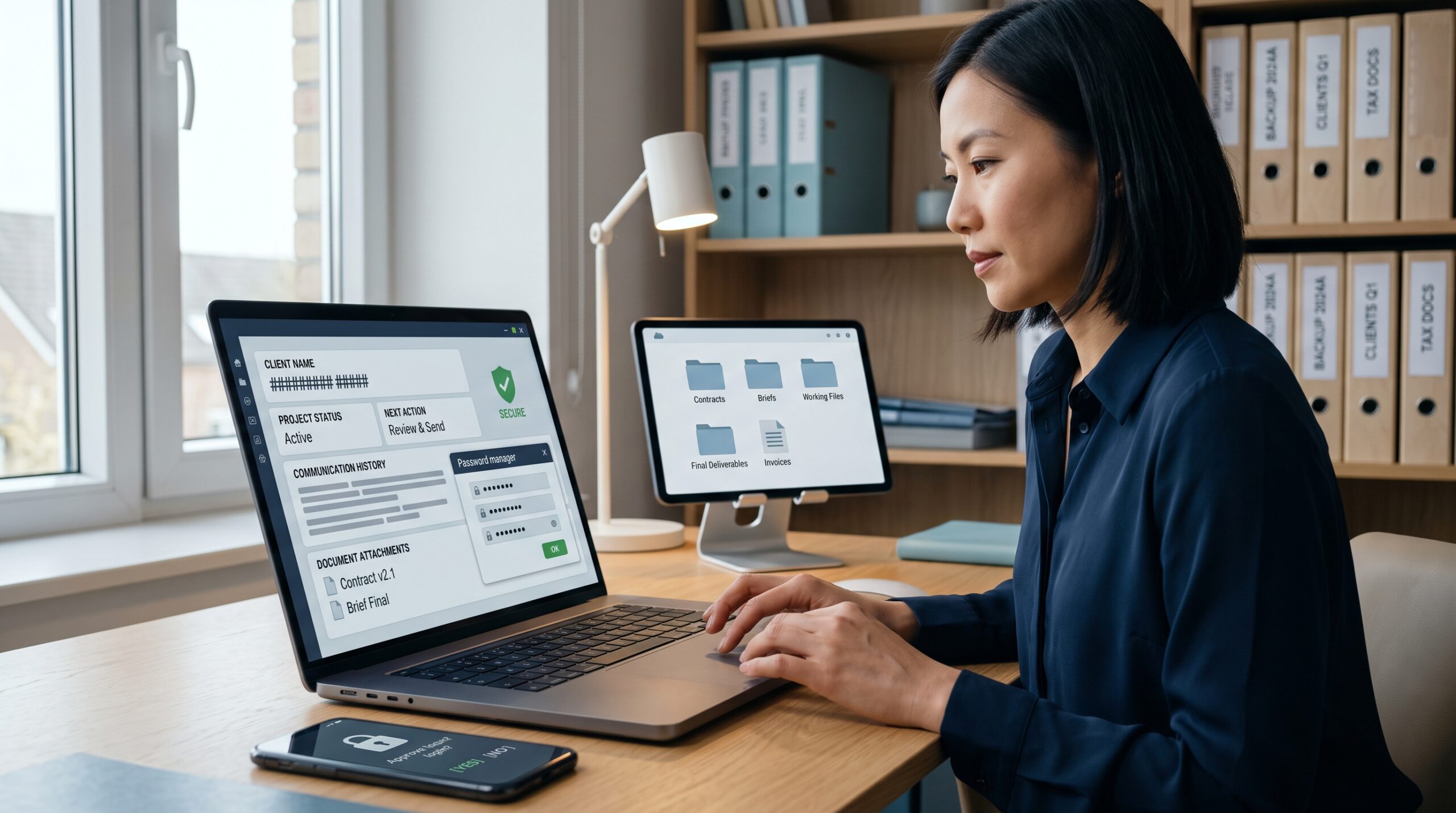
Cloud storage and digital document management make those files easier to find and share.
A simple folder structure can prevent future headaches:
Client → Project → 01 Brief → 02 Working Files → 03 Review → 04 Final → 05 Billing
Do not underestimate naming conventions either.
Final_v7_REAL_FINAL_2.pdf is funny once.
After the fourth revision, it becomes a cry for help.
Use dates, project names, and clear status labels instead.
Also keep backups. Cloud storage is useful, but it should not be mistaken for a complete cybersecurity strategy. Critical business files deserve a backup approach that considers accidental deletion, compromised accounts, hardware failure, and ransomware.
Cybersecurity Tools Every Freelancer Should Have
Cybersecurity is easy to ignore when everything is working.
Then someone clicks a convincing phishing link.
Suddenly, cybersecurity becomes everyone’s favorite topic.
Small businesses and freelancers often hold valuable information: customer names, email addresses, contracts, payment details, credentials, unpublished content, financial documents, and proprietary files.
That makes basic protection essential.
Start with the fundamentals
Every freelancer or small business should consider:
- Multi-factor authentication
- A reputable password manager
- Automatic software updates
- Device encryption
- Secure cloud backups
- Antivirus and endpoint protection
- Secure Wi-Fi
- Phishing awareness
- Limited user permissions
- A basic incident-response plan
For larger small businesses, managed cybersecurity services can add monitoring and professional response capabilities that are difficult to provide internally.
Blueshift Cyber is one example. Its managed cybersecurity offerings include Managed XDR and a 24/7 U.S.-based security operations center, with services covering threat hunting, investigations, monitoring, and response. Its materials describe solutions serving organizations such as businesses, government environments, schools, and other sectors with security requirements.
The practical lesson is simple: security should match the value and sensitivity of the information you handle.
A solo blogger may need strong account security and backups.
A growing agency handling financial or confidential client data may need endpoint monitoring, managed detection and response, access controls, and professional security support.
Do not buy security products simply because they sound sophisticated.
First ask:
What could go wrong, and what would the business lose if it did?
Then build protection around those risks.
Productivity, Automation and Business Analytics
Once the basic systems are working, automation becomes useful.
But automation should solve repetition, not create more work.
Good candidates include:
- Sending standard follow-up emails
- Creating recurring invoices
- Moving form submissions into a CRM
- Creating project tasks after a new client signs
- Scheduling social posts
- Generating routine reports
- Backing up files
- Sending deadline reminders
Bad candidates include processes where a mistake could seriously affect a client, payment, legal obligation, or security decision without human review.
A useful rule is:
Automate repetition. Review judgment.
Track the numbers that matter
Small businesses do not need a wall of dashboards.
Start with a few useful metrics:
| Metric | What it tells you |
|---|---|
| Revenue | How much money the business generates |
| Outstanding invoices | What clients still owe |
| Average invoice value | Typical transaction size |
| Project profitability | Which work is worth doing |
| Billable hours | How much time produces revenue |
| Lead conversion | Whether marketing produces clients |
| Repeat-client rate | Strength of client relationships |
| Overdue payment rate | Cash-flow risk |
This is where business software becomes more than administration.
It becomes a decision-making tool.
If one service produces twice the profit of another while requiring half the effort, that information should influence your next business decision.
How to Build Your Own Digital Tech Stack
Do not start by downloading ten productivity apps.
Start with your biggest bottleneck.
Ask:
What is costing me the most time every week?
If the answer is invoicing, fix billing.
If it is missed deadlines, improve project management.
If it is content production, examine AI and writing tools.
If it is lost files, fix document management.
If it is unpaid invoices, improve payment tracking.
A practical starter stack
| Business need | Tool category |
|---|---|
| Create content | AI writing/content tools |
| Check content | AI detection and plagiarism tools |
| Manage projects | Project management software |
| Track time | Time tracking software |
| Communicate | Email, chat, video meetings |
| Manage clients | CRM/client management |
| Store files | Cloud storage |
| Protect accounts | Password manager + MFA |
| Protect systems | Endpoint/security tools |
| Bill clients | Invoice software |
| Understand performance | Analytics/reporting |
| Reduce repetition | Automation tools |
You do not need the most expensive option in every category.
In fact, you probably should not have one.
A solo freelancer with five clients may need a lightweight stack. A 15-person agency with 100 active client projects will need more structure.
Start small.
Add software only when the business has a clear reason for it.
A Practical Digital Workflow for a One-Person Business
Here is what a connected workflow can look like.
1. Find the client
Use your website, referrals, social media, marketplaces, email outreach, or professional networks.
2. Qualify the project
Record the client’s requirements, budget, timeline, and deliverables.
3. Send the proposal
Use a proposal or document tool to create a clear scope.
4. Create the project
Add tasks, milestones, deadlines, and communication notes.
5. Do the work
Use relevant AI, writing, design, coding, research, or productivity tools.
6. Review everything
Check facts, quality, formatting, originality, calculations, and client requirements.
7. Deliver
Store final files in an organized location and send the client the correct version.
8. Invoice
Create the invoice promptly. Include payment terms and the information the client needs.
9. Track payment
Mark invoices as paid, partially paid, or overdue.
10. Review performance
Look at revenue, time spent, project profitability, and repeat business.
That is a digital workflow.
It does not need 30 applications.
It needs connected steps.
How AI Is Changing the Freelancer Toolkit
AI is changing what freelancers can accomplish in a working day.
But the most interesting shift is not simply that people can generate text or images faster.
It is that AI is becoming part of broader workflows.
Upwork’s 2026 Future Workforce Index found that skilled freelancing represented 38% of U.S. skilled knowledge workers, up from 28% in 2025. The same research found that freelancers performing AI work earned 34% more per hour than those not incorporating AI on the Upwork marketplace.
The report also found that AI-augmented professional services grew 72% year over year, with earnings increasing 22%. Freelancers doing more complex work with AI saw earnings increase 45% in the period examined.
That suggests something important.
The advantage may not belong to the person who owns the most AI apps.
It may belong to the person who knows how to combine AI with experience.
Consider two freelancers.
Freelancer A uses AI to produce 50 generic articles.
Freelancer B uses AI to research a market, organize customer information, generate a first draft, check the draft, analyze search intent, improve the structure, verify claims, and deliver a polished article based on a client’s specific requirements.
Both use AI.
Their workflows are very different.
The second freelancer is using technology as leverage.
That is the direction digital tools are heading.
Common Mistakes to Avoid
A good technology stack can become a bad one surprisingly quickly.
1. Buying too many tools
Every subscription looks inexpensive by itself.
Together, they can quietly become a monthly business expense.
2. Choosing popularity over fit
The most popular project management app may still be wrong for your workflow.
3. Ignoring security
A productivity gain means little if a compromised account exposes client files.
4. Automating too early
Fix the process before automating it.
Otherwise, you may simply automate a bad process.
5. Ignoring data portability
Check whether you can export your records before committing deeply to a platform.
6. Confusing features with results
A tool having 100 features does not mean you need 100 features.
7. Forgetting the human review
AI can accelerate production. It cannot take responsibility for every decision you make.
How Much Should Freelancers and Small Businesses Spend?
There is no universal software budget.
Instead, think in terms of return.
Suppose a $15 monthly tool saves three hours every month.
If your effective working value is $30 an hour, those three hours represent $90 of potential value. The tool may make sense.
Now suppose you pay $40 for an application you opened twice in six months.
That is a different story.
Review subscriptions every few months.
Ask:
- Do I use it?
- Does it save measurable time?
- Does it reduce mistakes?
- Does it help generate revenue?
- Does it replace another tool?
- Could a simpler option do the same job?
The best digital stack is often surprisingly small.
What Makes a Digital Tool Worth Using?
There is a simple test for any business software:
What problem does this tool remove?
If the answer is unclear, you probably do not need it.
A good tool should save time, reduce mistakes, improve visibility, or make an important business task easier. Ideally, it does several of those things without adding unnecessary complexity.
This matters because freelancers and small businesses have less room for wasted effort. You may not have an operations department, IT manager, accountant, project coordinator, and marketing team sitting in the next room.
You are the team.
And your software should respect that.
Look for these qualities
| What to look for | Why it matters |
|---|---|
| Ease of use | A powerful tool is useless if you avoid opening it |
| Automation | Reduces repetitive administrative work |
| Integrations | Prevents copying information between several apps |
| Mobile access | Useful when work happens outside the office |
| Security | Protects client and business information |
| Scalability | Allows the tool to remain useful as you grow |
| Export options | Keeps your data portable |
| Reasonable pricing | Protects margins, especially for solo businesses |
The size of the small-business market also explains why this category of software has become so broad. The Federal Reserve reports that businesses with fewer than 500 employees account for 99.7% of U.S. businesses with employees, produce nearly half of U.S. GDP, and employ just under half of American workers.
The Census Bureau also published research in 2025 examining a population of 33 million business owners and self-employed people, highlighting the enormous scale of businesses without employees.
That means there is no single “best software stack.”
A freelance writer may need an AI writing assistant, project management app, cloud storage, invoicing software, and analytics.
A plumber may care more about scheduling, estimates, invoices, payments, mileage, and customer records.
A small marketing agency may need CRM software, collaboration tools, time tracking, document management, cybersecurity, and reporting.
The right stack follows the workflow, not the other way around.
Essential Digital Tools at a Glance
| Tool category | Main purpose | Best for |
|---|---|---|
| AI writing tools | Research, drafting, editing | Writers and marketers |
| AI detection tools | Content analysis | Publishers and content teams |
| Project management | Tasks and deadlines | Freelancers and agencies |
| Time tracking | Monitor working hours | Consultants and hourly workers |
| CRM | Client information | Growing service businesses |
| Cloud storage | Files and collaboration | Almost every business |
| Cybersecurity | Protect systems and data | Every business |
| Invoice software | Billing and payment tracking | Freelancers and small businesses |
| Automation | Remove repetitive work | Growing operations |
| Analytics | Measure performance | Business owners |
Frequently Asked Questions
What digital tools does a freelancer need?
Most freelancers need a combination of project management, communication, cloud storage, invoicing, cybersecurity, productivity, and accounting or financial tools. Content professionals may also benefit from AI writing, editing, plagiarism, and AI-content analysis software.
What are the best tools for small businesses?
The best tools depend on the business model. A service company may prioritize CRM, scheduling, invoicing, communication, and payment tracking. An agency may need project management, time tracking, collaboration, cloud storage, analytics, and cybersecurity.
Should freelancers use AI tools?
Yes, provided they use them responsibly. AI can help with research, brainstorming, drafting, summarization, administration, and repetitive work. Human review remains important for accuracy, quality, originality, confidentiality, and professional judgment.
Is invoicing software worth it for a freelancer?
For freelancers who invoice clients regularly, usually yes. A dedicated invoice tool can reduce manual work, create professional documents, track outstanding balances, and make payment follow-up easier.
How many business tools should I use?
Use as few as necessary to run the business effectively. Start with the core functions, then add software when a real bottleneck appears.
Final Takeaway
Digital tools should make a business lighter, not heavier.
For freelancers and small business owners, the goal is not to build an impressive collection of applications. The goal is to create a workflow that moves work from the first client conversation to final payment with fewer delays, fewer mistakes, and less administrative friction.
Start with the basics.
Use AI where it genuinely improves productivity. Keep a human involved in important decisions. Organize projects before deadlines become emergencies. Protect business information. Send invoices promptly. Track payments. Measure what makes money.
Then automate the repetitive pieces.
The strongest digital toolkit is rarely the one with the longest feature list. It is the one that quietly helps you get through the day with less chaos.
And that is exactly what good business software should do.